1 / 1
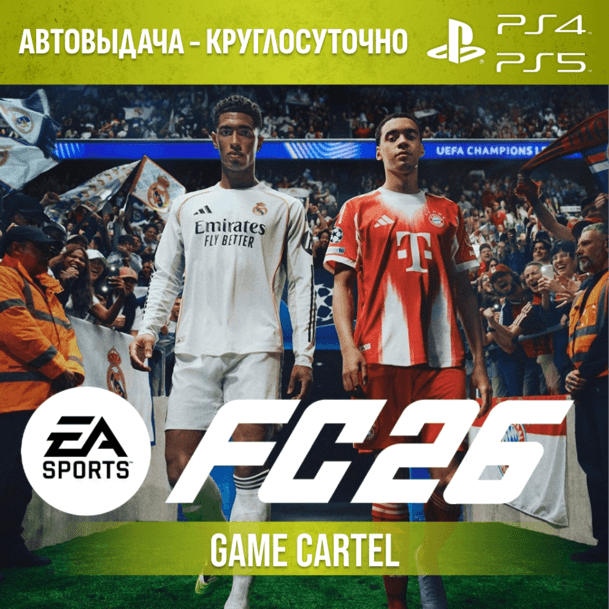
FC 26 (FIFA 26) (PS4 & PS5) Rental 7–30 days
10 sold30
The most exciting football simulator!
Instant delivery 24/7 🔥
(After payment, you will automatically receive access to the account with the game — no waiting required. Login and password will be sent to your email.)
❗ Important before purchase ❗
To play World Cup mode, update your rosters, and update your team, you WILL need a personal EA account.
We do not provide personal EA accounts. Please keep this in mind before purchasing. You only need access to the account that contains the game.
You are purchasing not the account itself, but temporary access to it (rental).
After receiving the details, you will be able to:
1) Download the game
2) Play on the provided profile during the paid rental period
3) Make sure to read the instructions and usage rules before purchasing
🔐 Security — The account is created by us and is our property. The game is purchased from the official store.
👤 Access — During the rental period, the account is assigned only to you. No one will interfere while you play.
🗣️ Voiceover - This game has a English voiceover and Russian subtitles.
🌍 Account region - HK, SG (Most games have Russian voiceovers and subtitles.)
🎮 Platform — PS5 / PS4
🎁 Gifts - Leave a review on the first day of your rental and receive a promo code for a discount on your next purchase.
⚠️ Terms of use
1) Follow the instructions strictly.
2) Do not log into the account from other devices (phone, PC, etc.).
3) Do not change account details. In case of violation: you will lose access without a refund.
4) After the rental period ends, access will be revoked.
5) Support is available throughout the rental period. If you have any issues, contact us first — we will help.
📝 How to start playing
1. Add a user
PS4: New User → Create User (not a guest)
PS5: Add User → “GET STARTED” → Sign in manually
2. Log into the account
Enter the login and password received after purchase. If a one-time code is requested — enter it.
3. Activation settings
After logging in, select:
PS4 → “Do not change primary system”
PS5 → “Do not enable console sharing”
4. Download the game
Go to Library → “Purchased” → download the game.
5. Gameplay
Play only using the rented account!
You can switch to your personal profile using the PS button if needed.
6. End of rental
After the rental period ends, delete the account and the game.
Enjoy your game ✅
Your Game Cartel 🥷
Main Characteristics
Updated on platform25.08.2026 0:00:10
G
GamesCartel
Online
Похожие товары
PARTNER
PARTNER
PARTNER
PARTNER
PARTNER
PARTNER
PARTNER
PARTNER
PARTNER
PARTNER
PARTNER
PARTNER
Total Price
140 ₽≈ 1.64$
Secure Deal
Instant Delivery